
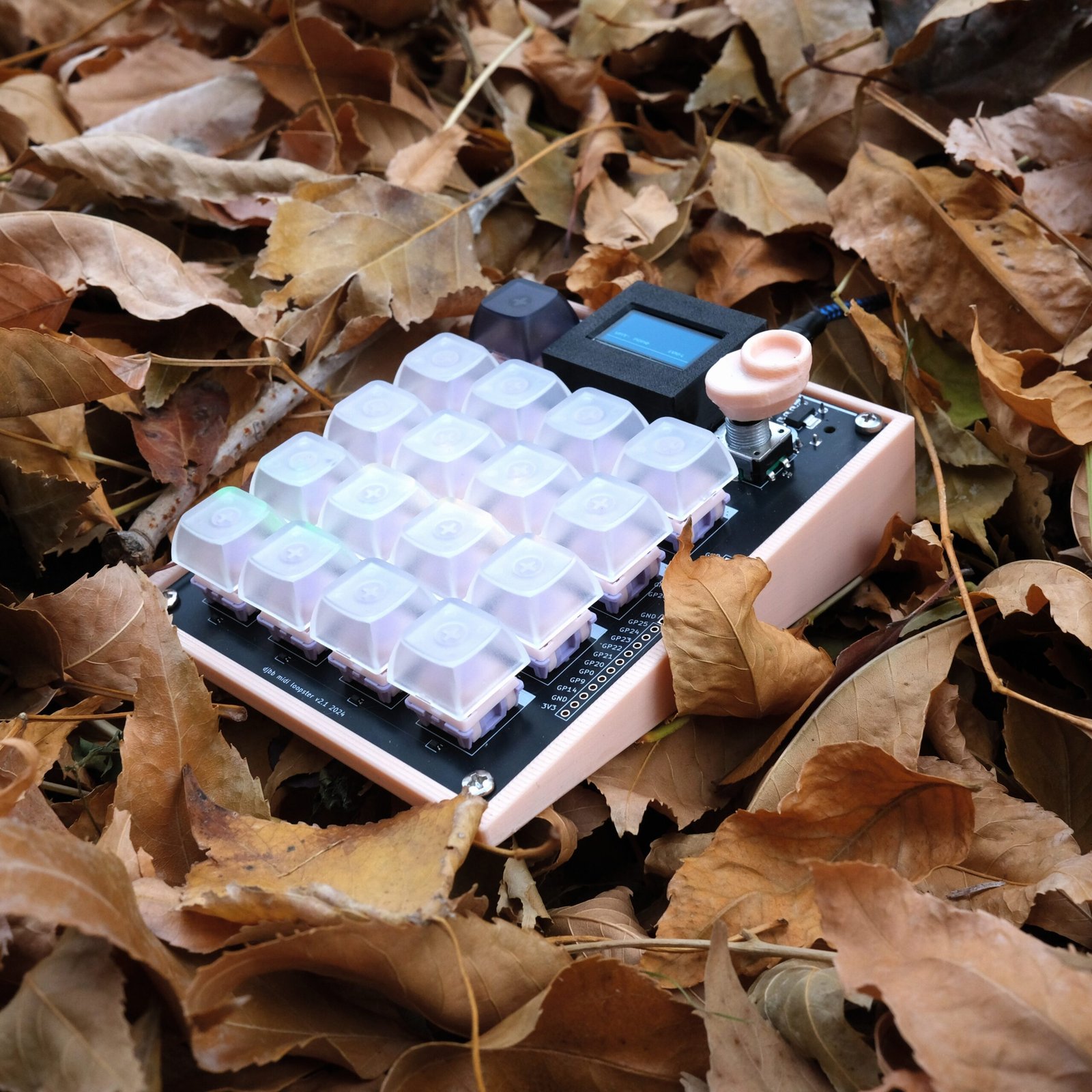
Record and loop MIDI notes, CCs, Aftertouch. Full sized DIN MIDI ports + USB MIDI for integration into whatever setup.
Features
- Like an audio looper, but for MIDI
- USB C MIDI + Full Size MIDI I/O Ports
- Play notes via 16 mechanical keyboard switches
- Record up to 16 loops of notes, CCs, and aftertouch
- Record and play back MIDI from wherever, on any channel
- Switch modes per loop – Loop, One-Shot, and Hold
- Save and load presets
- Arpeggiate through recorded notes with the encoder
- Quantize recorded midi events
- Sync BPM and playback with your synth or DAW
- Per-button RGB LEDs for visual feedback of loop states
- No computer needed – Just power it and plug standard midi cables in.
Some Fun Ideas
Just some things that I have found fun and perhaps unique to the Loopster. A lot of it focuses on looping CCs and other MIDI data – something I haven’t seen much of elsewhere.
Hook the Loopster up to your hardware synth however you want to – to and from. Record on a pad and turn the cutoff knob. Change the pad to “hold” mode. Holding the pad now plays back the filter sweep and holds at the last recorded CC value. If CC snapback is on, letting go returns it to the first recorded value. Fun for performance. Try it with other settings.
Similar to the filter sweep idea above, but usually you get better results with more subtle movements. Record on a pad and gently move a knob back and forth. Do the same with other knobs. Selectively play these CC loops in different combinations to find fun interactions.
Pick a parameter – say the filter cutoff – and record multiple loops of turning the knob back and forth. Some slow, some fast, some random. Play them back at the same time and you’ll get a glitchy stream of CCs going to your synth.
In the midi settings, set the CC resolution to something other than 1. For example, 8 or 16. Record knob movements to a pad. when you play them back, instead of playing back the smooth knob movement you recorded, it will play back a “stepped” version – CCs are only sent if they changed by more than 8 or 16 in this case.
Record notes to be included in the arpeggio on multiple pads. Assign the pad channel for some pads to be different (or record them directly in from your synth on another channel). Double click the FN button to enter arp mode. Hold pads and turn the encoder. It arpeggiates over all of the notes in the held pads, and sends notes out to their respective channels.
In theory you could play one arp where notes were coming from 16 different synths as you cycle through the arp.
The loopster can record aftertouch from external sources. Play a single note on your gear and vary the pressure as you are holding it down. Play this loop back and then play normally on top of it – you will get the aftertouch loop affecting your live playing.
On your synth, set all of the knobs to their “default” state for the patch. The state that you want them to come back to after you stop sending CCs from the loopster.
Now, go through and record knob sweeps for various parameters you want to play with. Set the recorded pads to “hold” mode and turn CC snapback off in the MIDI settings menu.
Now, when you hold a pad and release, you are virtually turning the knob and then on release, leaving it where it was when you released the pad. Click the pad once quickly and you can “reset” to the original knob position. Now you can quickly audition different combinations of settings / values by holding various pads and releasing when it starts to sound interesting.
You can also use it for “sub-presets” in a way. Set the pad to “oneshot” mode instead. Move the knob to about where you want it to be for this “sub-preset”. Record on a pad and move it just enough to record a single CC value. For the same knob, on a different pad, do the same thing but with a different knob position. Now you have 2 (or more) different specific knob positions you can audition by clicking a button.
Since none of this is specific to the synth / patch you were playing with initially, you can change presets on your synth and see how all of this CC business affects various patches.